> ## Documentation Index
> Fetch the complete documentation index at: https://docs.calius.io/llms.txt
> Use this file to discover all available pages before exploring further.
# Installation
> Download, install and activate Calius in just a few seconds.
It is designed for creating pictures and easily adding items to your inventory, so you don’t have to upload media manually.
Install Calius in three steps: download the app, install it, and activate your license.
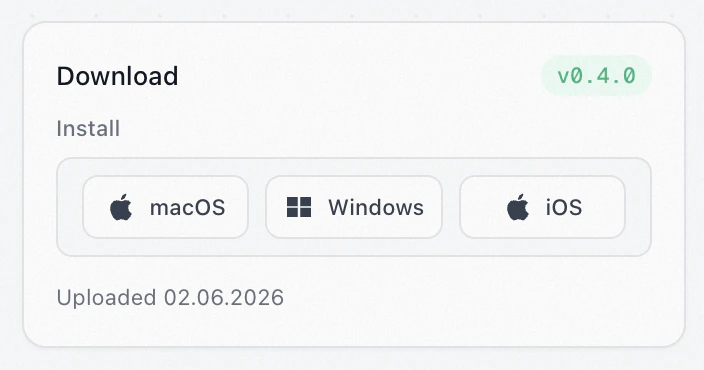
Calius runs on macOS, Windows, and iOS. \
**Calius Mobile** is a companion to the desktop app for capturing photos and adding items on the go. Mobile and desktop stay in sync. See [Mobile](/Installation) for the mobile guide.
## 1. Download
1. Open your [dashboard](https://calius.io/dashboard).
2. Go to the **License** tab.
3. Download the latest version for your operating system.
Downloads are available to users with an active license.
 ## 2. Install
1. Open the `.exe` installer.
2. Follow the wizard.
3. Launch Calius when it finishes.
1. Open the `.dmg` file.
2. Drag **Calius** into your Applications folder.
3. Launch Calius.
1. Accept the TestFlight invite.
2. Follow the install steps.
3. Open Calius on your iPhone.
## 3. Activate your license
On first launch, Calius shows the **License Activation** window.
1. Open your [dashboard](https://calius.io/dashboard) and copy your **License Key**.
2. Paste it into the activation window.
3. Click **Activate**.
Calius verifies the key and opens.
## Next steps
## Troubleshooting
If installation fails:
* Check that your license is active.
* Confirm you downloaded the build for your operating system.
* Restart Calius after activating.
Still stuck? Ask in [Discord](https://discord.gg/5KEkxukpPE).
## 2. Install
1. Open the `.exe` installer.
2. Follow the wizard.
3. Launch Calius when it finishes.
1. Open the `.dmg` file.
2. Drag **Calius** into your Applications folder.
3. Launch Calius.
1. Accept the TestFlight invite.
2. Follow the install steps.
3. Open Calius on your iPhone.
## 3. Activate your license
On first launch, Calius shows the **License Activation** window.
1. Open your [dashboard](https://calius.io/dashboard) and copy your **License Key**.
2. Paste it into the activation window.
3. Click **Activate**.
Calius verifies the key and opens.
## Next steps
## Troubleshooting
If installation fails:
* Check that your license is active.
* Confirm you downloaded the build for your operating system.
* Restart Calius after activating.
Still stuck? Ask in [Discord](https://discord.gg/5KEkxukpPE).