
Listing format
In the eBay tab of the editor, choose how to sell.
Calius shows a fee estimate as you list, so you know your margin before you publish.
Smart-Fill
Smart-Fill writes your item specifics from a similar listing.Start typing your product or insert an URL of an existing listing from eBay. Calius will clone the existing Listing but you have to review and adjust before you publish.
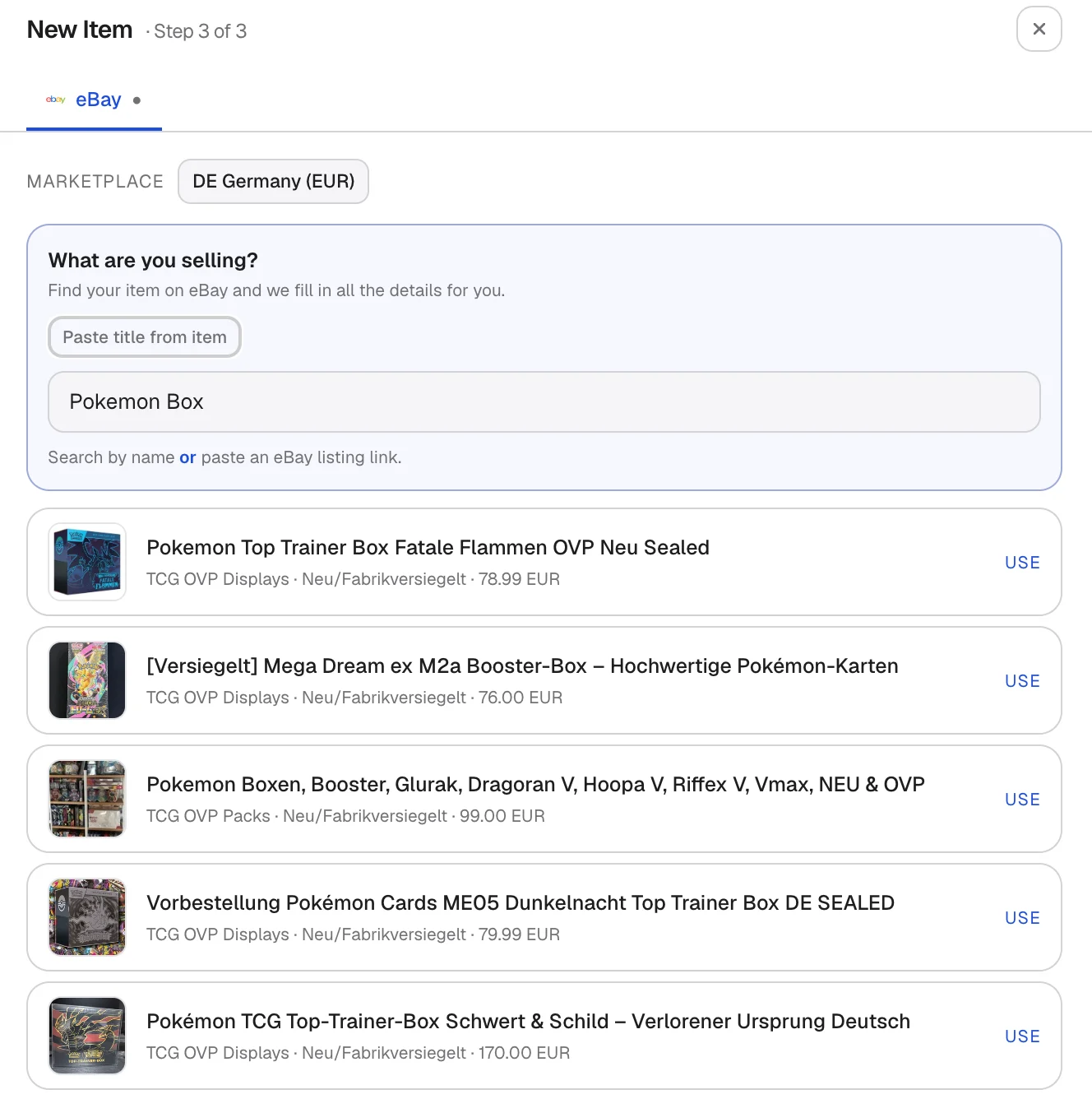
Smart-Fill suggesting a matching product
Promoted Listings
Promoted Listings give your items more visibility. Calius supports Promoted Listings Standard on a cost-per-sale basis. You pay only when the item sells through the ad.- Press the upload button next to the Inventory
- Select your eBay account
- Set an ad rate between 2% and 100%.
- List the item. (Calius reuses the rate when it relists.)
Multi Sizes and EAN´s
Calius Supports multiple sizes per listing with multiple EAN´s, simply enable Multi sizing: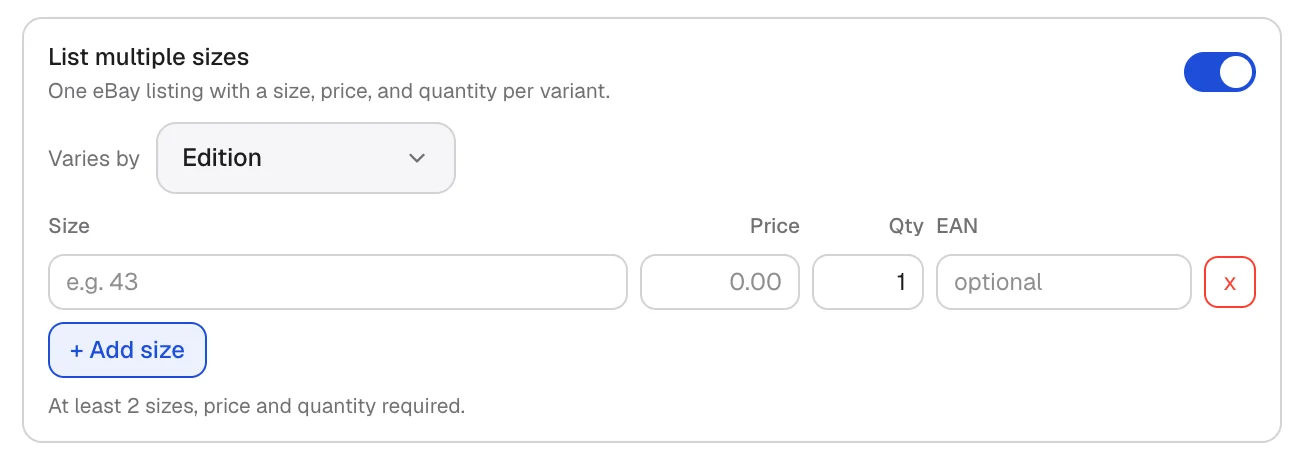
FAQ
Does eBay support Best Offer?
Does eBay support Best Offer?
Yes. Turn on Best Offer on any fixed-price listing.
What happens to refunded or cancelled orders?
What happens to refunded or cancelled orders?
They appear in the Overview feed in red and do not count toward revenue.